The symptom
The contract is signed, the kickoff call went well, and somebody on your team is working through a spreadsheet of logins to request. Three weeks in, the campaigns are running and the reporting looks reasonable.
Month three is where it surfaces. A conversion action nobody recognises is the one feeding the bidding. The Meta pixel fires, but the events land in a business portfolio you were never added to, so the audience you are optimising has a history you cannot open. Then the client asks how this quarter compares with the one before you arrived, and nobody wrote that down.
None of it was hidden. All of it was answerable in week one, while the previous agency was still returning emails and the client still had an unpaid final invoice as leverage.
Why it happens
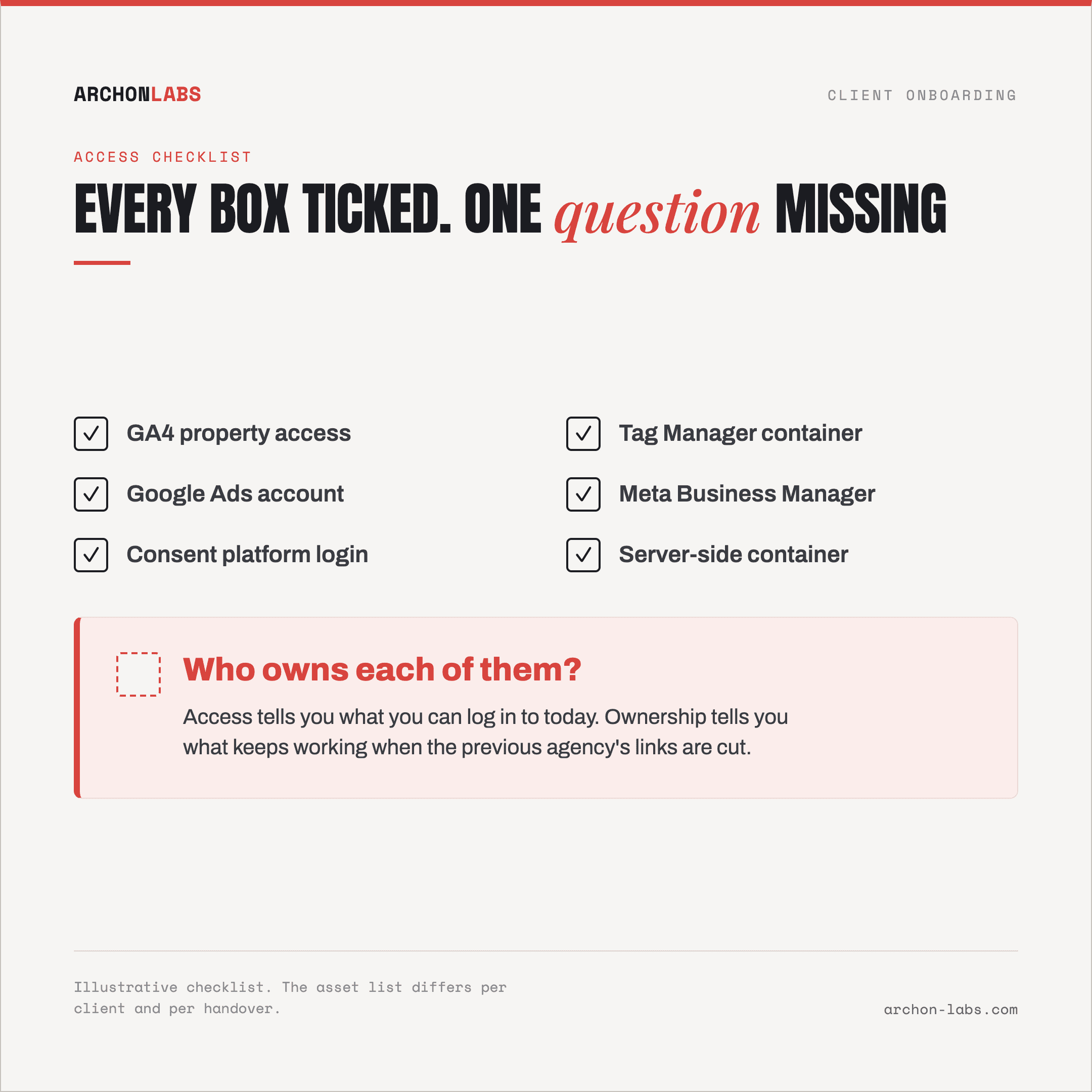
Every onboarding checklist you can download treats tracking as an access problem. Request GA4, install the pixels, build the dashboard, agree the KPIs. That list is not wrong, it just answers the question nobody gets hurt by. The one that hurts is where the measurement lives, because the client's accounts and the outgoing agency's accounts are usually tangled in ways neither party can describe, and cutting them apart has documented consequences.
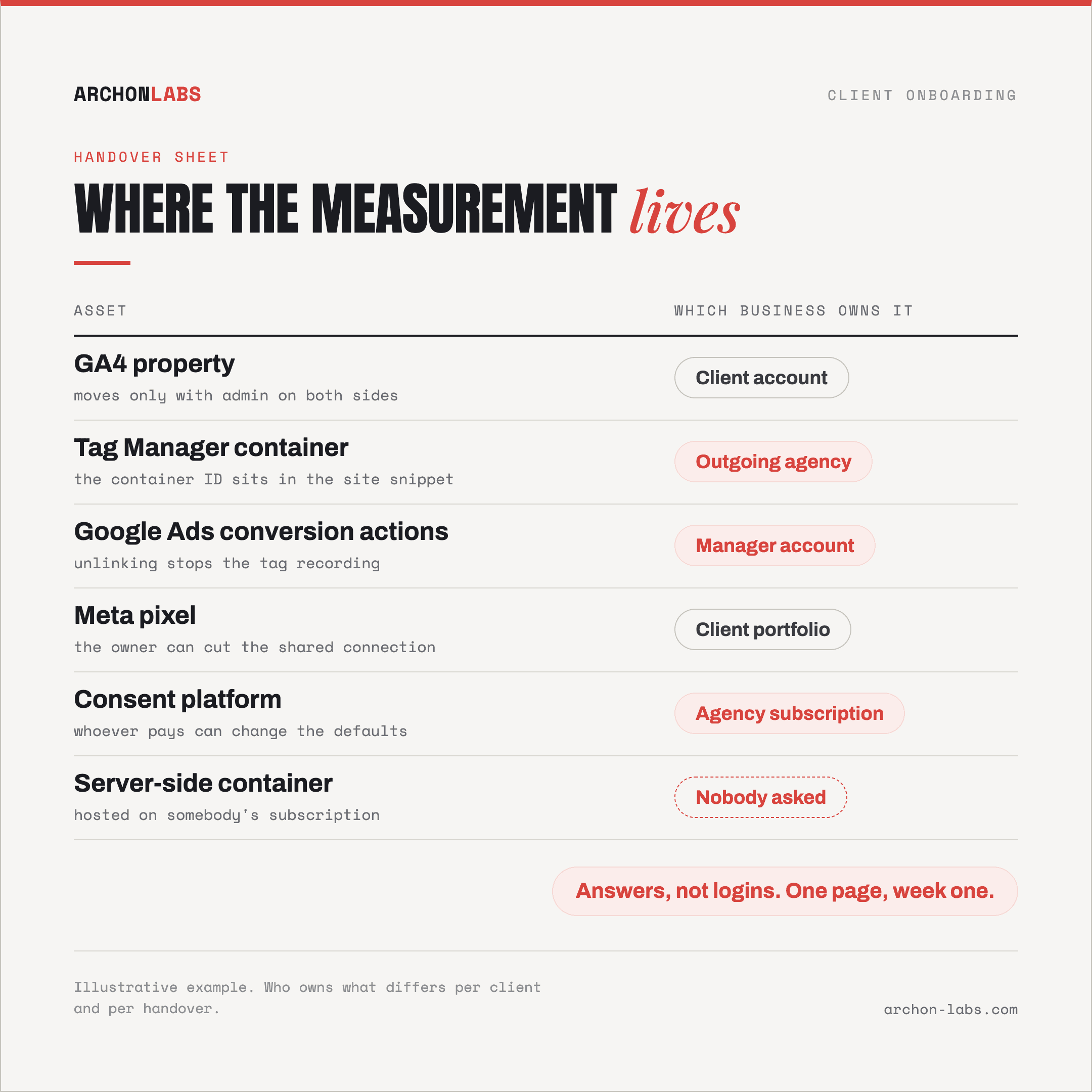
The conversion actions may not belong to the client
Google Ads supports two arrangements. Account-specific conversion actions are "Created and managed in an individual account (non-manager)". Cross-account conversion actions are created and managed in the manager account, and only manager accounts can change them. As Google Ads Help puts it, an account "can use account-specific conversions or cross-account conversions. It can't use both."
So the setup you are inheriting might be measuring conversions through a tag that belongs to an agency on their way out. Google's unlinking documentation is specific about the cost. If the account used the manager's cross-account conversion tracking tag, "That tag will no longer record conversions for clicks that take place after the account was unlinked." Shared audiences go the same way: "The lists that rely on the shared tag will no longer populate in that account", and ad groups targeting them stop running.
The one that ends a Monday: "If the Ads account is on monthly invoicing, and the manager account to be unlinked is the paying manager, the account will stop serving after you unlink it." Nothing about that failure looks like a tracking problem when it happens.
Analytics travels well, if the outgoing side cooperates
GA4 is the friendly case, and it has one condition. Per Google's documentation on moving a property, "To move a property, you need the Administrator and Editor roles for both the source and destination accounts." Reporting data, data streams, settings and product links come along, and the tag ID "does not change, so there's no need to retag anything."
Two details decide when you ask. The permission requirement means the move needs goodwill on the other side, which has a shelf life. And one thing stays behind: "Any change history associated with that property prior to the move remains with the source account." That record is how you reconstruct which decision broke what, and a move leaves it somewhere you can no longer reach. If a property is deleted outright during a bad separation, Google Analytics Help gives you "35 days to restore items from the Trash Can before they are permanently deleted".
Tag Manager and the ad platforms do not behave like Analytics
Tag Manager configuration is portable. Containers "can be exported as JSON" and "imported back into Tag Manager", per Google's export and import documentation. What does not travel is the identifier on the client's site: the install snippets carry the container's own ID, and Google's installation instructions note that "you must replace the ID with your container ID". Ending up in a different container is therefore a change to the client's website rather than a settings screen, which usually means a developer ticket.
Meta works on ownership rather than moves. A pixel is owned inside one business and shared with the agency's business, and the owner can cut that connection: Meta's business asset management documentation describes deleting the connection between pixel and agency business when it is no longer needed. Whether the client owns their own data source has a yes or no answer, and asking takes one sentence.
Some of what you are inheriting is nobody's fault
This is the part that protects you in the first client meeting. Between 15-30% of conversions go uncaptured on setups that were built competently, because consent refusals, ad blockers and browser restrictions remove a share of events before any tag gets a say. Our piece on why conversions never reach GA4 covers the mechanics.
Walk in calling the whole thing broken and you will be wrong about a large piece of it, in the meeting where that costs credibility you have not built yet.
What good looks like
Order the checklist by what stops being possible, not by what feels urgent. The first two items are free this week and expensive next month.
Ask where things live before you ask for access. One page, filled in with the client in the room: which account holds the GA4 property, whose Tag Manager container the site loads, whether the Google Ads conversion actions are account-specific or cross-account, which business owns the Meta pixel, who pays for the consent platform, and if there is a server-side container, whose subscription it sits on. Answers, not logins.
Take a dated baseline, and take the change history with it. Export what you will be asked to compare against, conversions and revenue by channel and campaign, plus the current change history while you can still reach it. This is the only item on the list that becomes impossible rather than merely annoying.
Sequence the separation. Billing moves before the manager link is cut. Conversion actions exist in the client's own account before the old tag stops recording. Audiences that campaigns depend on get rebuilt before the shared lists go dark. Each of those is a documented consequence of unlinking, so each gets a date rather than a hope.
Then improve what arrives at all. Once the setup is genuinely the client's, Archon Signal is the server-side collection layer we build on top of it: events collected first-party, so consent handling, ad blockers and browser restrictions take a smaller bite than they do from a standard browser-side setup. Typically that recovers 15-40% more conversions than the setup it replaces. It does not reach the whole truth, roughly 95% is the honest ceiling, and it does nothing for the months before you arrived.
On the performance agency we did this for, tracking prevention was affecting 38% of client traffic, now recovered. Measured conversions rose 26% once collection was rebuilt, and 14 hours of reporting work per project stopped needing a person.
Run this as standard practice and it stops being a purchase, it becomes the difference between onboarding a client and adopting their measurement debt unread. What the inspection covers in detail is on what a tracking audit covers.
FAQ
We already ask for access to everything. What is missing?
Ownership. Access tells you what you can log into today, ownership tells you what survives when the previous agency's links are cut. Those are different answers for conversion actions, Tag Manager containers and Meta pixels, and only the second one predicts what breaks in month two.
The previous agency owns the ad account. Should we just start a fresh one?
It depends on what is learning from the existing account. A fresh account is clean and starts a bidding strategy from nothing, with no conversion history behind it. Ask what the outgoing account carries that you would be discarding, then put the reset in front of the client before it shows up as a dip they did not expect.
Rebuild the tracking or keep what is there?
Depends on two things: whether the client leans on year-over-year reporting, and whether anybody can still explain what the current events mean. If nobody can, the comparability you would be protecting is already imaginary. The underrated middle path is to leave the existing events alone, build the correct ones alongside, and run both until the difference explains itself.
Is this not overkill for a small client?
The checklist scales down further than the work does. For a small account, the ownership page and the baseline export are perhaps an hour, and they are the two items that cannot be done later. The rest can wait until something needs fixing.
If a new account starts next month, a free tracking audit gives you the ownership map and the dated baseline while the handover is still open, which is the cheapest week of the year to have them.