The symptom
Someone on the account says "we have Google Tag Manager installed" as if that settles the question of whether the site is tracked. Then nothing new shows up in GA4 after a launch, or half the tags in the container have names nobody recognizes, and the honest answer to "is this measuring what we think it measures" turns out to be a guess.
An agency inheriting a client's account sees this most often. The container has been open for years, forty or fifty tags deep, no naming convention, no notes on which ones still fire and which ones stopped mattering when a page was redesigned. Touching the publish button feels like defusing something rather than shipping a small change.
The person asking how Google Tag Manager actually works is usually past the sales pitch for it. They do not want a tour of the interface. They want the mechanism: what the container is actually made of, what has to happen before anything measures, and where a marketing team's job with it stops and a specialist's starts.
Why it happens
What the container is actually made of
Google's own description of the product is narrower than the reputation it has. Tag Manager Help defines it as "a tag management system that allows you to set up and manage tags on your site without changing your website's code." Getting there takes exactly one step in the codebase: "you add 2 snippets of code to each page of your website," and after that, changes happen inside the Tag Manager interface, not in a developer's pull request.
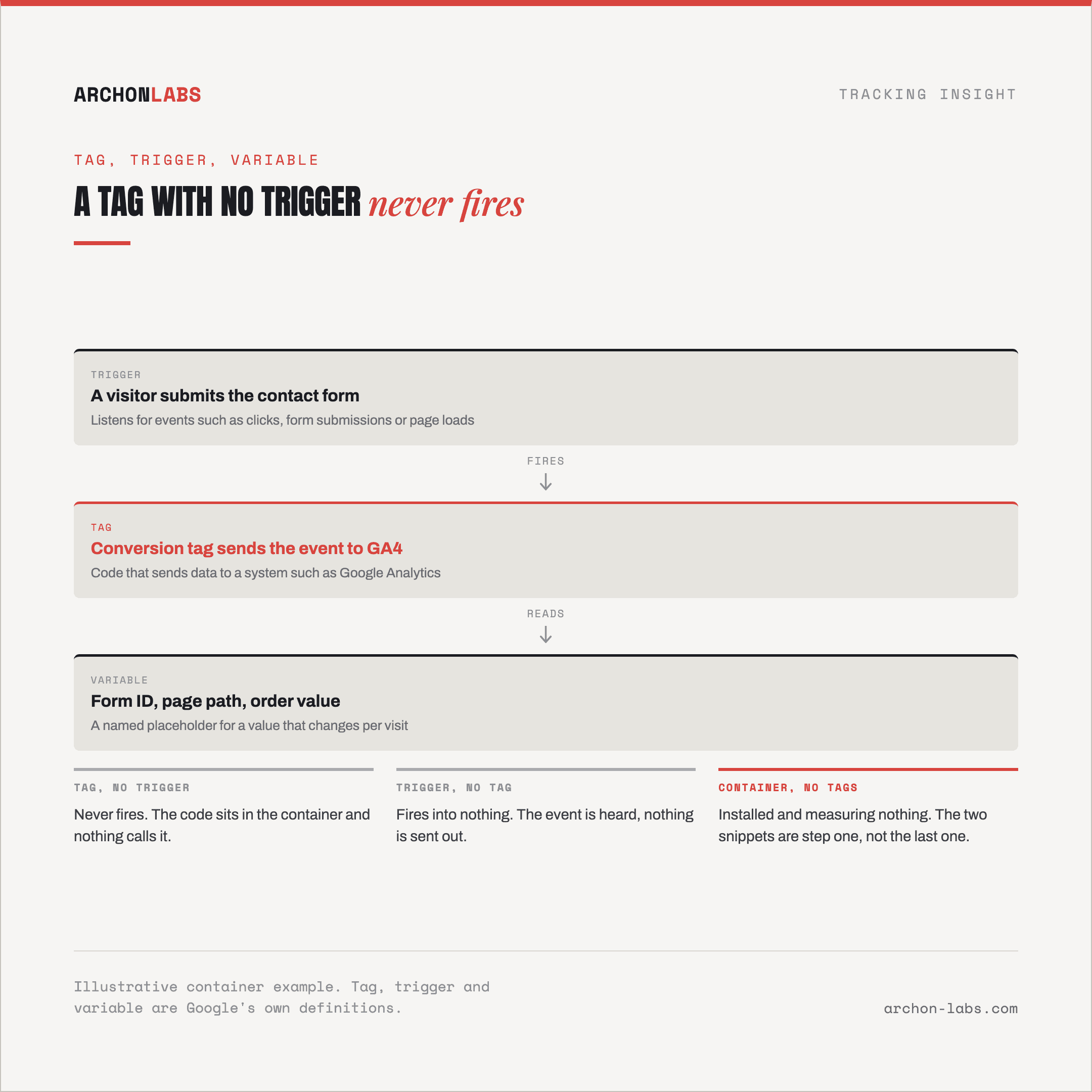
What lives inside that installed container is three kinds of object, and Google's own definitions are short enough to repeat in full. A tag "is code that send data to a system such as Google Analytics." A trigger "listens for certain events, such as clicks, form submissions, or page loads," and a tag only fires once a trigger tied to it has been met. A variable "is a named placeholder for a value that will change, such as a product name, a price value, or a date," and both tags and triggers can reference one instead of a hardcoded value. None of the three does anything on its own. A tag with no trigger never fires. A trigger with nothing attached fires into nothing.
Where the data those tags send actually comes from
Tags and triggers still need something to read. That is the job of the data layer, which Google's developer documentation describes as "an object used by Google Tag Manager and gtag.js to pass information to tags," where "events or variables can be passed using the data layer, and triggers can be set up based on the values of variables." The alternative, scraping values off the rendered page, is exactly what the data layer is built to avoid. Google's own framing is that tags are "designed to reference information that is added to the data layer in an organized and predictable way, rather than by parsing variables, transaction information, page categories, and other signals scattered throughout your page." A site whose data layer is thin or missing gives Tag Manager little to work with, regardless of how well the container itself is configured.
Editing is not the same as live
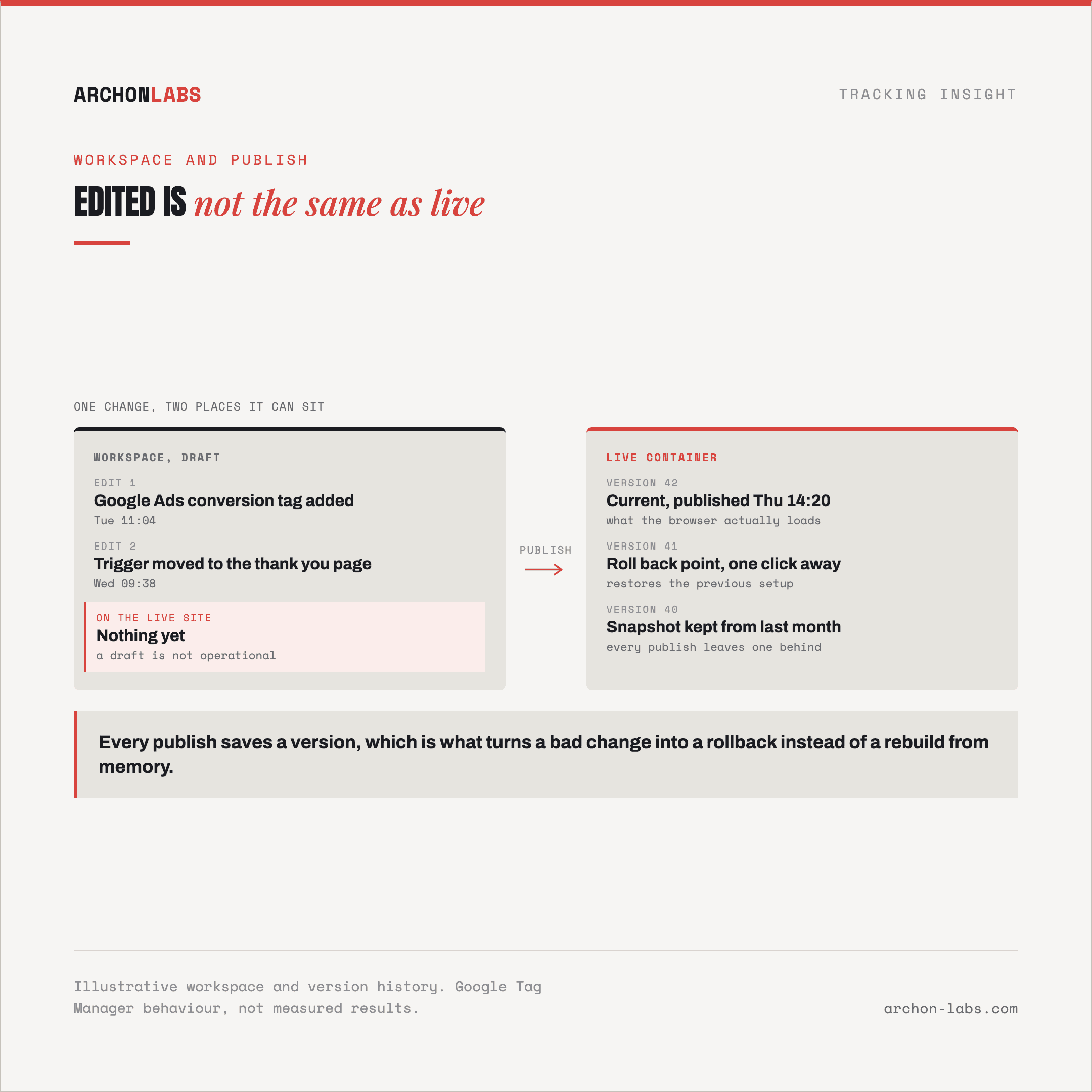
A change made inside the interface sits in a workspace first, which Tag Manager Help describes as a set of changes that lets "team members work on changes in separate workspaces to independently develop their own tag configurations" without releasing each other's unfinished work. Nothing in a workspace is live. Publishing, versions, and approvals spells out the second step: "if you've added or edited tags, triggers, and variables in a workspace, you will need to publish those changes to make those changes operational on your website or mobile app." Every publish is also saved as a version, "a snapshot of a container configuration at a particular time," which is what makes a bad publish reversible: roll back to the prior version instead of rebuilding it from memory. On Google's paid 360 tier, that publish step can also require an approval first, so a stakeholder reviews a workspace before it goes live. On the free tier there is no such gate, which is worth knowing before deciding who on a team gets to press publish.
The web container is not the server container
Everything above describes the container that runs in a visitor's browser. Google also sells a server container, which runs on infrastructure a business controls rather than on the visitor's device, and which Google's own server-side documentation notes uses "the same tag, trigger, and variable model that you're used to." It is a different product solving a different problem, covered in full in the glossary entry on server-side Google Tag Manager, not something this piece re-explains.
What good looks like
Once the mechanism is clear, what agencies actually use the web container for is fairly narrow: centralizing the tags that would otherwise need a developer ticket for every change, a Google Ads conversion tag, a Meta pixel, a handful of marketing tools, all configured and republished from one interface instead of hand-edited into a template each time. That is the entire pitch, and it is a real one. It is also where the pitch stops, because a well-organized container still only measures what its tags and triggers are actually built to catch, and a data layer that was never built out gives even a clean container little to read.
The part that gets skipped is the training tail. A container with no naming convention, no record of which tags are still needed, and publish access handed to whoever asked for it, turns into exactly the inherited mess described above within a year or two. Deciding who holds publish rights, what a change needs before it ships, and whether a review step exists before it goes live, is a governance decision, not a technical one, and it is usually skipped because nobody was assigned to own it.
That is also the point where a marketing team's job with the container and a specialist's job with the setup underneath it diverge. Archon Signal takes over the parts of a tracking setup that stop being reasonable to leave to whoever last had container access: the tag and trigger architecture itself, what the data layer actually carries, and keeping a container's publish history clean enough that a rollback is a real option instead of a guess. For agencies choosing where that server-side setup should actually run once the mechanism above makes sense, does the server-side tool choice matter covers the vendor decision directly.
FAQ
Does installing Google Tag Manager mean our site is now tracked?
No. The container itself is empty until tags exist inside it, each one attached to a trigger that decides when it fires. Installing the two code snippets is the first step, not the last one, and a container with no configured tags sends nothing anywhere.
What is the actual difference between a container, a tag, and a trigger?
The container is the whole collection installed on a site. A tag is the piece of code that sends data out to a destination such as GA4 or Google Ads. A trigger is the condition, a click, a form submission, a page load, that has to be met before a tag attached to it fires.
Why does my change not show up on the live site right after I edit it?
An edit lands in a workspace, which is a draft. Nothing in a workspace is operational on the actual site until it is published, and publishing also saves a version, which is what lets a mistake be rolled back instead of rebuilt.
Is Google Tag Manager the same thing as server-side tracking?
No. What this article covers is the web container, which runs in a visitor's browser. A server container runs on infrastructure a business controls and uses the same tag, trigger and variable model, but it is a separate product solving a separate problem, covered in the glossary entry on server-side Google Tag Manager.
Who inside an agency should have publish access?
Fewer people than usually end up with it. An approval step before publishing is only available on Google's paid 360 tier, so on a free-tier container, whoever has publish rights can put a change live with no review at all, which is worth deciding deliberately rather than by default.
If a client's container has turned into exactly the kind of inherited mess this article describes, a free tracking audit is the fastest way to find out what is actually configured underneath it.