The symptom
Someone on the team exports a GA4 report, drops the file into ChatGPT and asks which channel drove revenue last month. Back comes a clean answer, a chart and three recommendations, phrased better than the deck anyone was going to write. Then a colleague opens Google Ads, the conversion count is different, and that confident paragraph turns into a liability.
The quieter version is worse, because nothing contradicts it. The answer goes into a client email. The client asks a follow-up, why did cost per acquisition climb in week three, and the file never held anything that could answer that. An answer arrives anyway.
So the useful question is not whether ChatGPT is clever enough to analyse marketing data. It is which of your questions the file you handed it can answer, and that is a question about your data rather than the model.
Why the answers come back confident and wrong
What it actually does with your file
Worth being precise, because the usual story gets the mechanism wrong. The tool behind file analysis is documented. OpenAI's developer documentation describes code interpreter as letting a model "write and run Python code in a sandboxed environment", with data analysis named as one of its domains. When code runs, the sum of a column is executed, not predicted. So "the AI hallucinated our revenue" is usually not what happened. The arithmetic was fine. Which column, which rows and which definition were not.
Two things follow. Paste numbers into the chat instead of attaching a file and you have no assurance any code ran, so you are back to a language model doing mental arithmetic. And the environment is temporary by design: the same documentation notes that a container expires after 20 minutes unused, and tells developers to treat containers as ephemeral and keep their data on their own systems. A scratchpad, not a reporting layer.
What you uploaded is a report, not your data
A GA4 export is the end of a processing chain that Google documents step by step. None of those steps travel with the CSV.
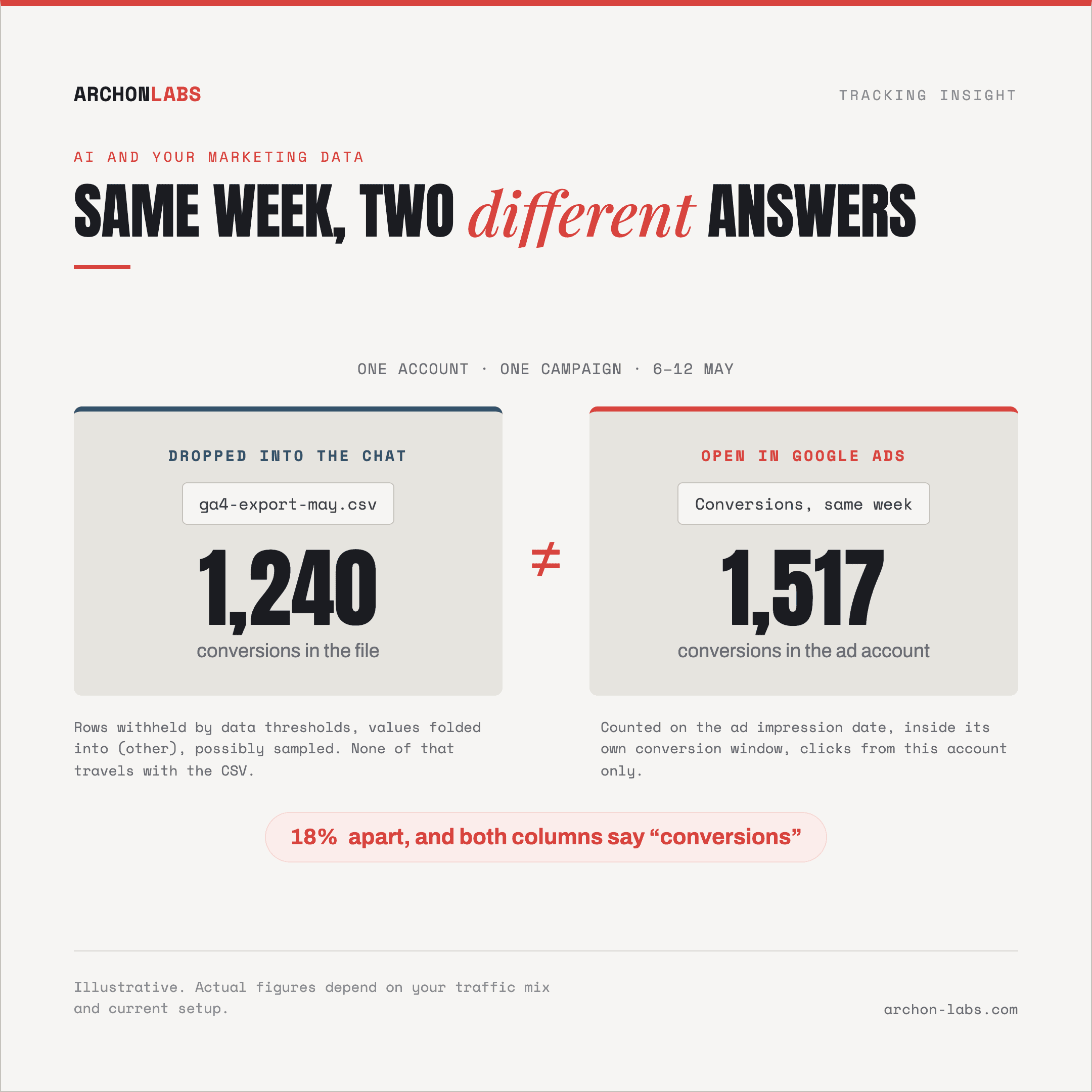
Rows can be withheld. Google applies data thresholds "to prevent anyone viewing a report or exploration from inferring the identity or sensitive information of individual users", and they are system defined: "You can't adjust them."
Numbers can be estimates. Sampling may occur when the events behind a report exceed your property quota, 10 million events on a standard property against up to 1 billion on Analytics 360, and Google calls the scaled-up result directionally accurate.
Values can be merged. The (other) row appears when a table exceeds its row limit, and Google's guidance is that "any dimension with more than 500 values should be considered a high-cardinality dimension". Campaign dimensions pass that line routinely.
The warehouse route has edges too. Standard properties have a daily BigQuery export limit of 1 million events, and Google signals data is not exported there at all, so per-user event counts differ between Analytics and BigQuery by design.
A model reading the resulting file cannot tell that it is reading a partly withheld, possibly sampled summary, because nothing in a CSV says so. It will describe the file accurately and your account inaccurately, in the same sentence. The three ways that surfaces as a wrong answer are in why AI gives wrong answers about your marketing data.
Your two files do not use words the same way
Ask for a reconciliation between a GA4 export and a Google Ads export and you will get one, which is the problem. Google Ads Help is direct about why the two will not line up: "Google Ads reports conversions on the ad impression date. Other reporting tools attribute them to the conversion date." Conversion windows differ, and Google Ads "only reports conversions if there are Google Ads interactions (for example, clicks) from the same Google Ads account". Two columns both labelled conversions are two different quantities. A model will average them, explain the gap away, or pick one. It will not refuse.
And then the rows that were never collected
Underneath all of it sits the part no prompt reaches. Across the accounts we audit, 15 to 30% of conversions go consistently uncaptured, and ad blockers alone strip 30 to 40% of events before anything is recorded. No model infers a purchase that nobody logged. How that loss happens is in why conversions never reach GA4.
What good looks like
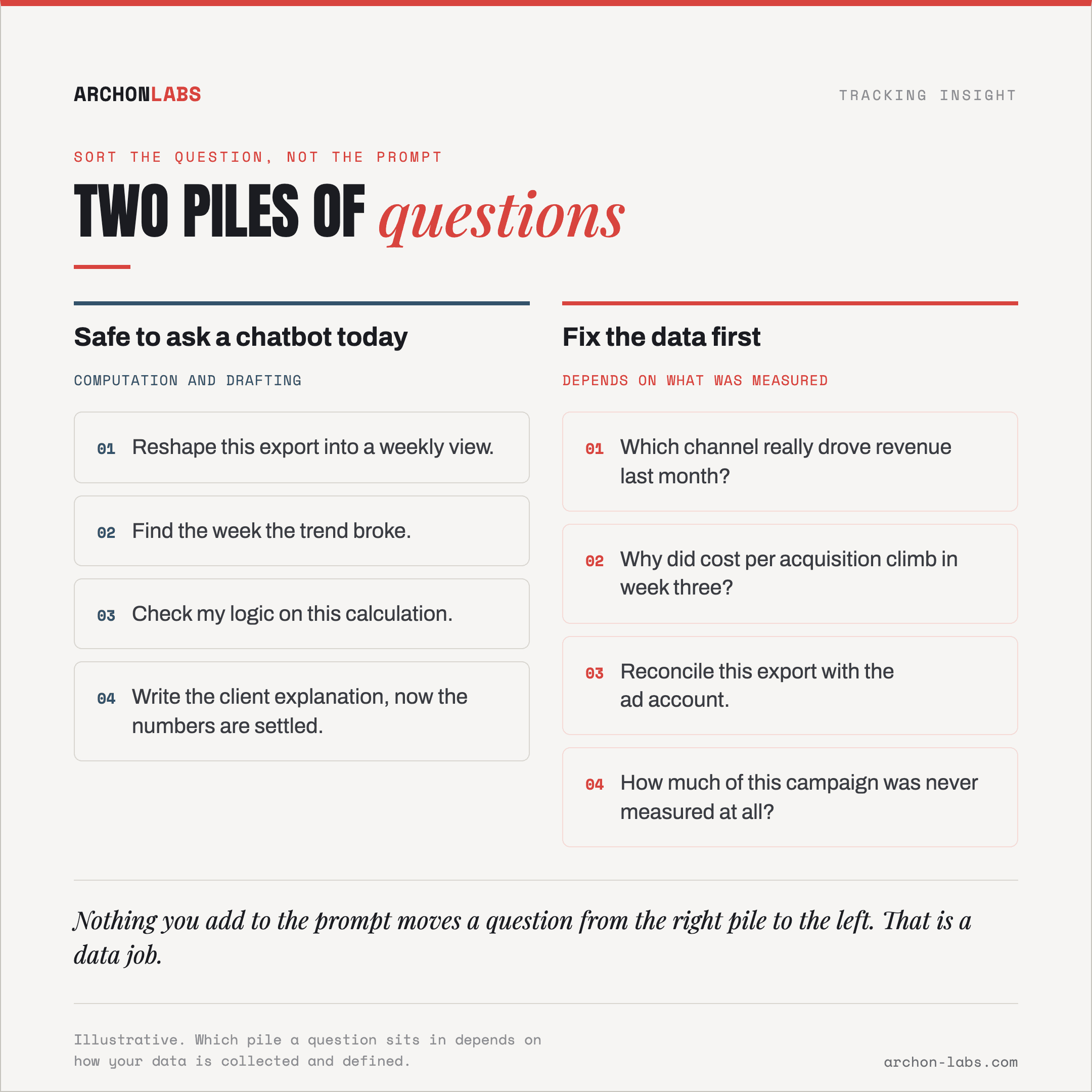
Sort your questions into two piles before you judge the tool. Pile one is computation and drafting on a file you already trust: reshape this export, find the week the trend broke, check my logic, write the client explanation now that the numbers are settled. It is genuinely good at that today. Pile two is anything whose answer depends on what was measured, how it was defined, or how two platforms counted. Nothing you add to the prompt moves a question from pile two into pile one.
Shrinking pile two is a data job, and the order matters. Measurement first, because a server-side setup that recovers 15 to 40% of conversions changes what there is to analyse. Then event level rather than report level, so nothing is aggregated, thresholded or grouped before the analysis starts. Then definitions written down once, what counts as a conversion, which attribution basis, which time zone, so the same question returns the same number next month. Archon Pixel captures +25% more than a standard GA4 setup, and the honest ceiling is roughly 95% of events, never all of them, so the target is a dataset whose gaps are known rather than one that pretends it has none.
That ordered work is what Archon AI is: a defined, event-level dataset an AI tool can be pointed at, with metric definitions and consent state carried through, so an answer still holds when the client opens their own ad account. For one performance agency it meant 38% of traffic affected by tracking prevention back into measurement, 26% more measured conversions on average, and 14 hours per project returned to the campaign team.
Frequently asked
Is it safe to upload a client's analytics export?
Two checks, and neither is about the tool. First, what is in the file. Google requires "that no data be passed to Google that Google could use or recognize as personally identifiable information", so a properly implemented GA4 export should not contain any, while a CRM or lead export usually does. Second, what your contract allows. On client data an agency is normally the processor, and Article 28 of the GDPR is explicit: a processor "shall not engage another processor without prior specific or general written authorisation of the controller", and processes personal data "only on documented instructions from the controller". Putting an AI tool into a client's data flow is a contract question before it is an analysis question.
Does it train on what we upload?
It depends on the account, and this one is worth reading rather than assuming. OpenAI's API documentation states that data sent to the API "is not used to train or improve OpenAI models (unless you explicitly opt in to share data with us)", with abuse monitoring logs retained for up to 30 days unless law requires longer. The consumer and business plans of the app carry their own terms, so check the ones attached to the account your team actually pastes into, and have that answer before a client asks for it.
Can we connect it straight to GA4 or BigQuery instead of uploading files?
That removes the manual step, not the limits. Anything reading through the Analytics Data API inherits the same processing, thresholding and the (other) row included, plus documented quotas of 200,000 core tokens per property per day and 10 concurrent requests on a standard property. A warehouse connection is the better route because it is event level, but it moves the bottleneck rather than removing it: now the definitions have to be right, and no connector writes those for you.
Would a better model fix this?
Where the failure is code or arithmetic, yes, newer models are better at it. Where the failure is a conversion that was never collected, a campaign folded into (other), or two platforms counting on different dates, a better model produces a more fluent version of the same wrong answer. Model quality and data quality fail differently: one produces errors you can spot, the other produces confidence.
If you want to know which pile your client accounts are really in, request a free tracking audit and we will show you what the current setup measures before you build a workflow on top of it.